
信頼性のある, 使いやすい設計ソフトウェア
3D structural analysis
Capabilities for modelling and analysing simple to complex structures.
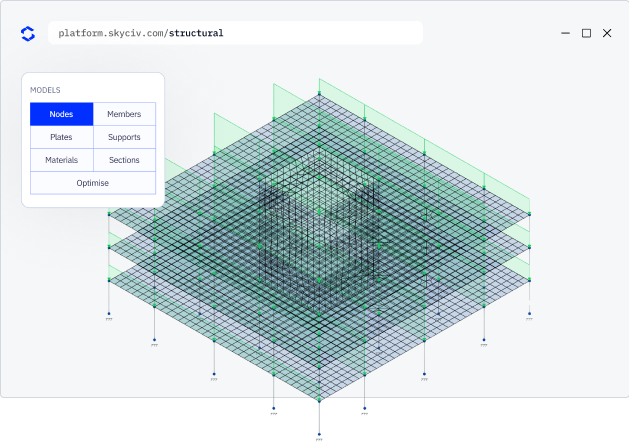
Quick structural modelling
Create detailed structural models using flexible tools designed for engineering workflows
- Flexible modeling methods: ペンツール, 構造の抑制とシフト繰り返し & paste, spreadsheet entry, gridlines and intuitive operation functions.
- Multiple structural elements: ビーム, プレート, cable elements, rigid links and non-linear supports within one model.
- Extensive section and material libraries: 以上 25,000+ database sections and 1,500+ materials from standards and manufacturers across the world.
WHY ENGINEERs SWITCH
Structural analysis software that runs the full workflow
Easy and powerful FEA analysis
Run linear, 非線形, buckling and dynamic analysis within a single solver. No separate modules for complex analysis types.
Integrated design checks
鋼, コンクリート, timber and cold-formed design modules run directly on your analysis results. No exporting, re-entry or version mismatches.
詳細な calculation reports
Every formula, design check and
reference is shown in full, so you can defend every number, not just the result.
WHY ENGINEERs SWITCH
What SkyCiv offers
Capabilities for modelling and analysing simple to complex structures.
Quick structural modelling
Create detailed structural models using flexible tools designed for engineering workflows
- Flexible modeling methods: ペンツール, 構造の抑制とシフト繰り返し & paste, spreadsheet entry, gridlines and intuitive operation functions.
- Multiple structural elements: ビーム, プレート, cable elements, rigid links and non-linear supports within one model.
- Extensive section and material libraries: 以上 25,000+ database sections and 1,500+ materials from standards and manufacturers across the world.
Load definition & 組み合わせ
Apply the full range of structural loads and organise them into code-compliant combinations.
- Multiple load types: 点, 分散, 変換されたセクションの結果とともに結果, 熱の, self-weight and notional loads.
- Load case management: create, organise and attribute load cases to load groups within a single model.
- Automated load combinations: generate combinations using built-in design schemas or define custom combinations.
Advanced structural analysis
Run the full analysis sequence on a single model without switching solvers.
- Multiple analysis types: 線形静的, 非線形 (Pデルタ), 座屈, dynamic and response spectrum analysis.
- Plate finite element modelling: mesh plates with support for cut-outs, connected members and rigid diaphragms.
- Cable and tension element analysis: model cable behaviour with accurate non-linear response.
結果 & structural behaviour
Interrogate results directly within your 3D model, export results to a spreadsheet or generate detailed reports. Results include force diagrams, 応力コンター, displacements and reactions.
- Internal force diagrams: 軸力, 剪断力, bending moment and torsion moment diagrams.
- Deflection and displacement results: relative and absolute deflections at nodes and inside members.
- Support reactions and stresses: inspect internal stresses throughout members or plates. Review support reaction forces and moments.
supported standards
Globally Supported Design Standards
Capabilities for modelling and analysing simple to complex structures.
DESIGN STANDARDS
Structural design codes
Complete support for local design standards across steel, コンクリート, timber and more
| カテゴリー | Supported Codes |
|---|---|
| Steel design | AISC 360, なので 4100, CSA S16, BS 5950, ユーロコード 3 (に 1993), IS 800, NZS 3404 |
| 強化コンクリート | ACI 318, なので 3600, ユーロコード 2 (に 1992), CSA, BS |
| 木材のデザイン | NDS, AS / NZS 1720, ユーロコード 5, CSA |
| 冷間成形鋼 | AISI, ユーロコード, AS / NZS 4600 |
| 接続設計 | AISC 360, ユーロコード, なので 4100 |
| Wind and seismic loading |
Skycivの違い
Skycivに切り替えます
Everything your team needs to work faster,
どこからでも.
Work faster with integrated workflows
Your model integrates with more tools, saving you time and energy. Design faster, smarter and with less margin for error.


インストールをスキップします
Skycivは完全にクラウドで実行されます. ダウンロードはありません, 更新, または、セットアップが必要です. ブラウザからログインして、すぐに動作を開始するだけです.
エンジニアリングサポート
問題が発生したとき, 当社の資格のあるエンジニアは、すぐにそれらを解決するのに役立ちます, 遅延やダウンタイムなしでプロジェクトを順調に保ちます.


簡単入力, easy output
SkyCiv models take minutes to set up, and the results are all clearly labelled – accompanied with detailed design reports for full calculation transparency.

強力な統合,
Zero Disruption
証言
何千人もの人々から信頼されている

使いやすさと結果のプレゼンテーションはどちらも素晴らしい. 私はサポートチームと継続的にやり取りしており、誰もが優れています.

ミッチ・フルムキン
キプコンCEO
土木機械工学のさまざまなコースで使用されており、学生はそれを愛しています. SkyCivの継続的な更新にも満足しています, 強くお勧めします.

ケネス博士. リーチ
Assoc. 教授. テキサスAで&M
簡単に学べる最も直感的なパッケージでした; 3Dモデルの構築とノードの定義が特に簡単です, 会員, サポート, 材料, セクション, 次に荷重を適用します & 組み合わせ.

スチュアート・アガース
Struct-Sure Limited代表取締役
SkyCiv は、複数の責任を持つ小規模企業のメンバーにとって、設計結果を効率的かつ明確に文書化して更新するのに役立つ優れたツールです。.

リディア・ファーレンクルグ
MTソーラーのエンジニア
ケーススタディ
を使用した実際のプロジェクト SkyCiv
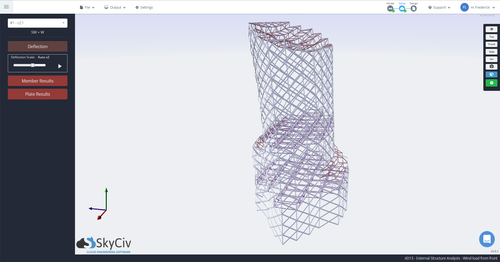
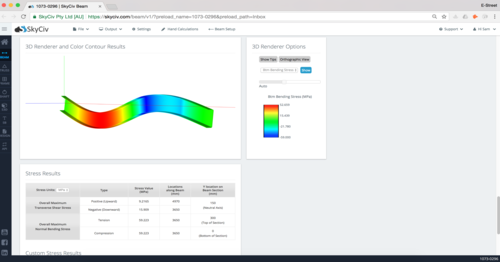
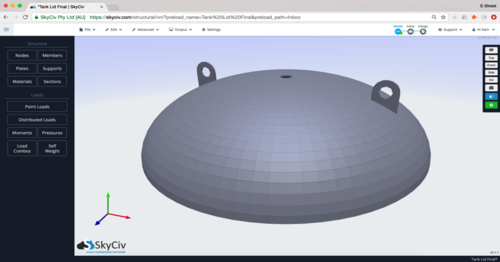
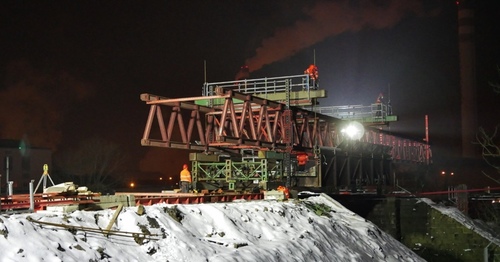
料金
Access SkyCiv Quick Design
Flexible plans for every team size.
No lock-in contracts, cancel anytime.
