

Reliable, Easy to Use Design Software
Steel Connection Design Software analysis
Capabilities for modelling and analysing simple to complex structures.
Structural Steel Connection Design
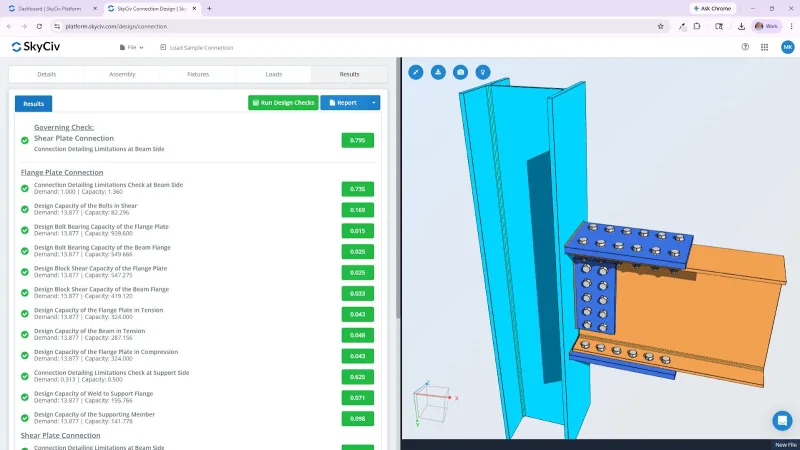
SkyCiv Connection Design software makes it easy to model and check steel connections right from your browser. There’s nothing to install so you can get started in minutes.
The software supports AISC 360-16 (ASD and LRFD) and Australian Standard AS 4100. With intuitive modeling tools and clear calculation reports, SkyCiv Connection Design software helps you work faster and with confidence.
WHY ENGINEERs SWITCH
Structural analysis software that runs the full workflow
Easy and powerful FEA analysis
Run linear, non-linear, buckling and dynamic analysis within a single solver. No separate modules for complex analysis types.
Integrated design checks
Steel, concrete, timber and cold-formed design modules run directly on your analysis results. No exporting, re-entry or version mismatches.
Detailed calculation reports
Every formula, design check and
reference is shown in full, so you can defend every number, not just the result.
WHY ENGINEERs SWITCH
What SkyCiv offers
Capabilities for modelling and analysing simple to complex structures.
Efficient steel connection design software
Create detailed structural models using flexible tools designed for engineering workflows
Support for AISC 360-16 (ASD & LRFD) and AS 4100:2020
Work in an intuitive interface built for speed and convenience.
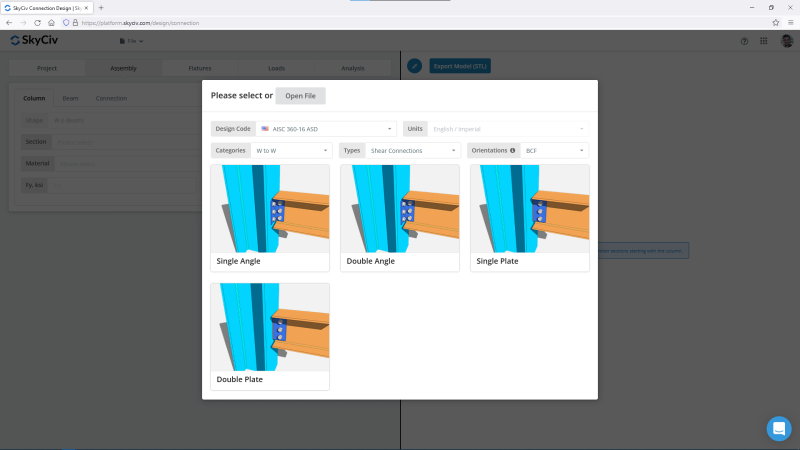
Access a full library of member and component shapes.
Customize material, bolt, and weld grades to fit your project
Switch between bolted and welded connections with a single click.
Visualize your steel connections as you design
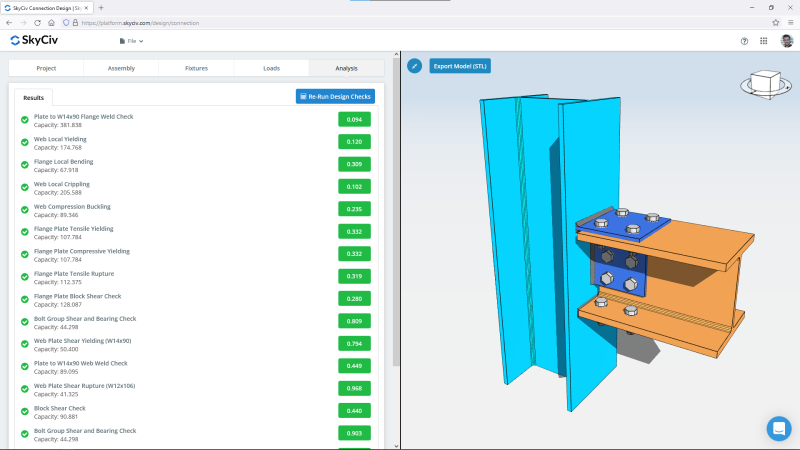
SkyCiv Connection Design software gives you real-time 3D feedback while you build so you can design with precision.
See the actual configuration of your connection while you work
View and edit your connection and 3D model in the same frame.
Instantly visualize member and plate sizes.
Adjust dimensions freely to suit your design needs.
Modify bolt group layouts with just a few clicks.
Reduce fit-up issues with clear, accurate renderings of your connection.
Detailed reporting you can trust
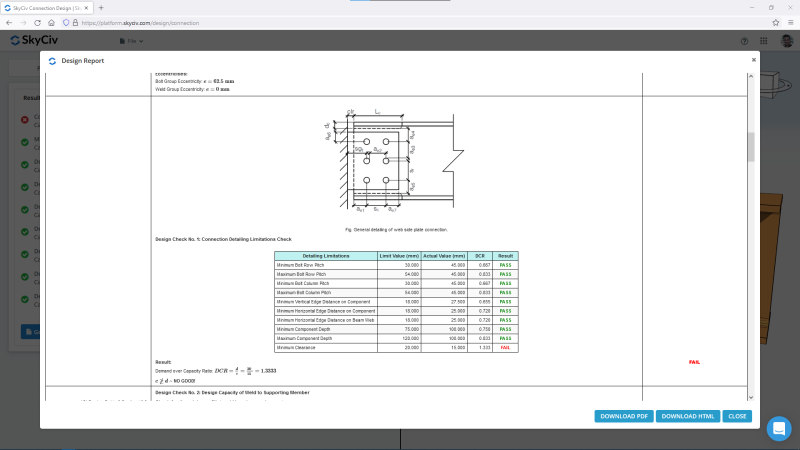
The module generates step-by-step calculation reports so you can review, validate, and share your work easily.
Download full reports in PDF or HTML format.
Start with a clean summary of project and connection info.
Understand each check with clear illustrations and code references.
Scan results quickly with a tabulated summary at the end.
Easily identify pass/fail checks using colored remarks and DCR values.
supported standards
Globally Supported Design Standards
Capabilities for modelling and analysing simple to complex structures.
DESIGN STANDARDS
Structural design codes
Complete support for local design standards across steel, concrete, timber and more
| Category | Supported Codes |
|---|---|
| Steel design | AISC 360, AS 4100, CSA S16, BS 5950, Eurocode 3 (EN 1993), IS 800, NZS 3404 |
| Reinforced concrete | ACI 318, AS 3600, Eurocode 2 (EN 1992), CSA, BS |
| Timber design | NDS, AS/NZS 1720, Eurocode 5, CSA |
| Cold-formed steel | AISI, Eurocode, AS/NZS 4600 |
| Connection design | AISC 360, Eurocode, AS 4100 |
| Wind and seismic loading |
the skyciv difference
Make the Switch to SkyCiv
Everything your team needs to work faster,
from anywhere.
Work faster with integrated workflows
Your model integrates with more tools, saving you time and energy. Design faster, smarter and with less margin for error.


Skip the Installation
SkyCiv runs entirely in the cloud. No downloads, updates, or IT setups are required. Simply log in from any browser and start working instantly.
Engineering Support
When issues arise, our qualified engineers will quickly help you resolve them, keeping your projects on track without delays or downtime.


Easy input, easy output
SkyCiv models take minutes to set up, and the results are all clearly labelled – accompanied with detailed design reports for full calculation transparency.

Powerful Integrations,
Zero Disruption
testimonials
Trusted by thousands

The ease of use and the presentation of the results are both awesome. I have had ongoing interaction with the support team and everyone is excellent.

Mitch Frumkin
CEO OF KIPCON
It is used for various civil and mechanical engineering courses and the students love it. We are happy with the continuous updates to SkyCiv as well, highly recommended.

Dr Kenneth R. Leitch
Assoc. Prof. at Texas A&M
It was easily the most intuitive package available to learn; it is particularly easy to build the 3D model and define nodes, members, supports, materials, sections, then apply loads & combinations.

Stuart Agars
Managing Director of Struct-Sure Limited
SkyCiv has been a great tool to help efficiently and clearly document and update design results for a member of a small company with multiple responsibilities.

Lydia Fahrenkrug
Engineer at MT Solar
case studies
Real projects using SkyCiv
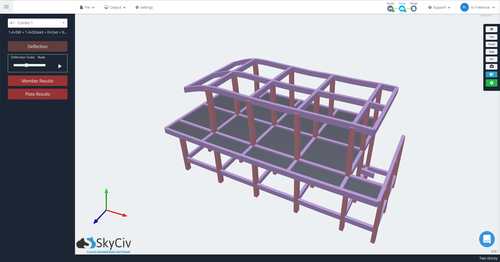
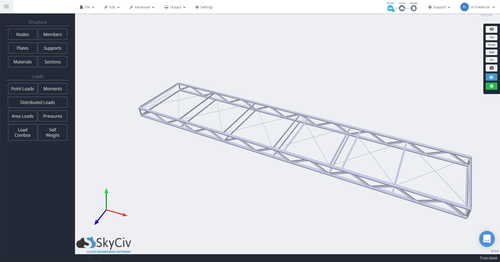
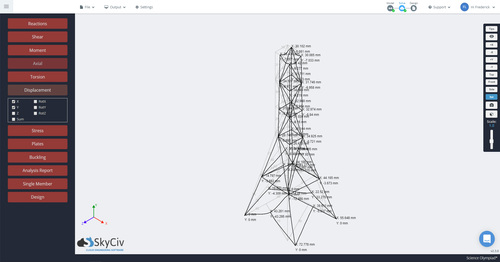
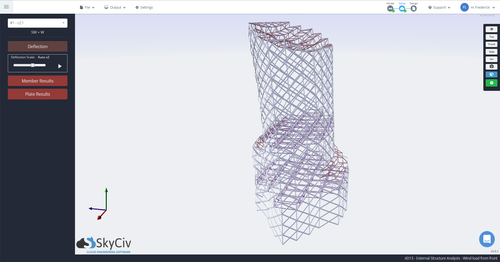
PRICING
Access SkyCiv Quick Design
Flexible plans for every team size.
No lock-in contracts, cancel anytime.
Get in Touch
Location
Unit 510, 55 Holt Street Surry Hills
NSW 2010 Australia
